
Solution
How to Manage WooCommerce Faster Without Leaving WordPress
Jul
Running a successful WooCommerce store isn’t just about getting more sales—it’s about managing your business efficiently.
As your store grows, you’ll spend more time inside the WordPress admin dashboard processing orders, updating products, checking reports, printing invoices, and performing countless repetitive tasks.
The problem isn’t WooCommerce itself. It’s that the default admin experience wasn’t designed to optimize every daily workflow for busy store owners.
In this guide, we’ll show you practical ways to manage your WooCommerce store faster while staying entirely inside WordPress.
Why WooCommerce Management Becomes Slow
Most online stores start small.
A handful of products.
A few daily orders.
Simple inventory management.
At this stage, the default WooCommerce interface works perfectly.
But as your business grows, so does the amount of administrative work.
You may suddenly find yourself handling:
- Hundreds of products
- Dozens of daily orders
- Customer support requests
- Coupons and discounts
- Inventory updates
- Reports and analytics
- Shipping documents
- Invoices
Each task only takes a minute or two—but together they can consume several hours every day.
Keep Frequently Used Information in One Place
One of the biggest productivity killers is constantly switching between pages.
A typical workflow often looks like this:
Dashboard → Orders → Products → Reports → Settings → Orders again.
Every page load interrupts your focus.
Instead, try to centralize your daily operations around a dashboard that gives you quick access to the information you use most often.
Look for dashboards that display:
- Today’s orders
- Revenue
- Sales trends
- Inventory alerts
- Recent customers
- Store performance
The less time you spend navigating menus, the more time you spend running your business.
Reduce the Number of Clicks
Every unnecessary click costs time.
Imagine processing 150 orders every day.
If you save only 10 seconds per order, you’ve already saved more than 25 minutes.
Now multiply that over an entire month.
Small improvements become huge productivity gains.
Use Bulk Actions Whenever Possible
Bulk operations are one of the easiest ways to speed up WooCommerce management.
Instead of editing products individually, perform actions on multiple items at once.
Examples include:
- Updating prices
- Changing categories
- Modifying stock status
- Publishing products
- Editing visibility
Bulk actions dramatically reduce repetitive work.
Organize Your Order Workflow
Efficient order processing is essential.
A streamlined workflow should allow you to:
- Search orders quickly
- Filter by status
- Print documents
- Update statuses
- View customer information
- Complete common tasks without opening multiple pages
The faster your order workflow, the faster your customers receive their purchases.
Make Reporting Part of Your Daily Routine
Successful store owners monitor their business every day.
Key metrics include:
- Revenue
- Orders
- Average order value
- Best-selling products
- New customers
- Conversion trends
Instead of generating reports manually every morning, use dashboards that surface the most important numbers automatically.
Don’t Ignore Mobile Management
Many store owners check their business while traveling or away from the office.
A mobile-friendly administration interface lets you:
- Review new orders
- Approve changes
- Monitor sales
- Respond quickly to urgent situations
Being able to manage your store from your phone provides flexibility without sacrificing productivity.
Automate Repetitive Tasks
Automation isn’t only for large businesses.
Many repetitive activities can be simplified, including:
- Document generation
- Exporting reports
- Inventory updates
- Product management
- Customer communication
The more repetitive work you eliminate, the more time you have for marketing, customer service, and business growth.
Choose Tools That Improve Your Workflow
The best WooCommerce tools don’t replace WooCommerce—they improve the way you work.
An ideal productivity tool should help you:
- Process orders faster
- Navigate less
- Find information quickly
- Reduce repetitive tasks
- Work efficiently on both desktop and mobile
The goal isn’t adding more features.
The goal is saving time.
How ZERTI Helps
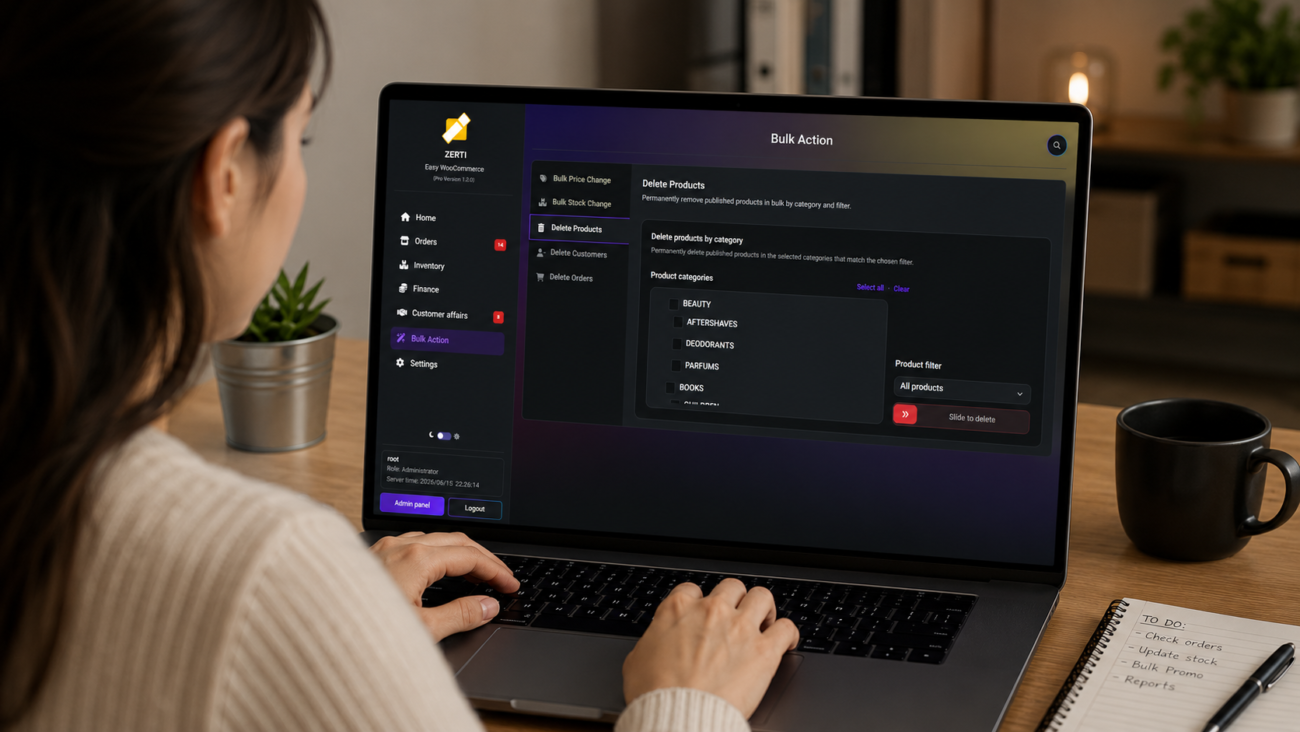
ZERTI is designed to enhance WooCommerce’s administration experience by bringing common daily tasks into a faster, cleaner interface.
Depending on your workflow, it can help simplify tasks such as:
- Order management
- Product management
- PDF invoice generation
- Packing slips
- Business reporting
- Excel exports
- Bulk operations
- Mobile administration
- AI-assisted product tools
Rather than replacing WooCommerce, ZERTI helps store owners complete everyday tasks with fewer clicks and a more organized workflow.
Final Thoughts
Every minute you save inside WordPress is another minute you can spend growing your business.
Improving your WooCommerce workflow doesn’t require changing platforms or rebuilding your store. Often, it’s simply a matter of reducing repetitive actions, organizing your daily tasks, and using tools that make administration more efficient.
If you spend hours every week managing your WooCommerce store, optimizing your workflow may be one of the highest-return investments you can make.
