
Complexity
10 WooCommerce Admin Tasks That Waste Hours Every Week (And How to Fix Them)
Jul
Managing an online store should be about growing your business—not spending hours clicking through endless WordPress admin pages.
WooCommerce is one of the world’s most flexible eCommerce platforms, but as your store grows, daily operations become slower and more repetitive. Hundreds of orders, products, inventory updates, coupons, invoices, and reports can quickly turn into a full-time administrative job.
The good news is that most of these tasks can be completed much faster with the right workflow and tools.
In this guide, we’ll look at the ten biggest time-wasting WooCommerce admin tasks and explain how you can streamline them.
1. Searching for Orders
When your store starts receiving dozens or hundreds of orders every day, finding a specific order becomes surprisingly time-consuming.
Many store owners repeatedly:
- Search by customer name
- Search by order number
- Open multiple pages
- Return to the order list
- Repeat the process
Those extra clicks add up.
A better approach
Use an order management interface that allows fast searching, filtering, and quick actions without constantly navigating between pages.
2. Opening Every Order Individually
One of the biggest productivity killers is opening every order just to perform simple actions like:
- Mark as completed
- Print an invoice
- Print a packing slip
- Update status
- Review customer information
Repeating this workflow hundreds of times every week wastes valuable time.
Instead, use tools that bring the most common actions directly into your order list.
3. Updating Products One by One
Need to:
- Change prices?
- Update stock?
- Modify categories?
- Edit visibility?
Doing this product by product is frustrating.
Bulk editing can reduce hours of work to just a few minutes.
4. Switching Between Multiple Admin Pages
A typical workflow often looks like this:
Dashboard → Orders → Products → Reports → Coupons → Settings → Back to Orders
Constantly switching pages interrupts your workflow and slows you down.
Keeping frequently used tools in a unified interface helps you stay focused and work faster.
5. Creating PDF Invoices Manually
Many stores still rely on separate plugins or manual steps to generate invoices.
Ideally, invoices and packing slips should be available directly from your order management screen, reducing unnecessary clicks and simplifying fulfillment.
6. Managing Your Store on Mobile
WordPress was originally designed for desktop use.
While it works on mobile devices, managing orders and products from a phone is often inconvenient.
A responsive admin interface makes it much easier to:
- Review new orders
- Update statuses
- Check daily sales
- Monitor store activity while away from your desk
7. Exporting Data Repeatedly
Store owners frequently export:
- Orders
- Products
- Customers
- Reports
When exporting requires navigating through multiple screens every time, it becomes another repetitive task that slows your workflow.
Quick export options save significant time.
8. Finding Important Business Metrics
Questions like these should be easy to answer:
- How many orders arrived today?
- What’s today’s revenue?
- Which products sell the most?
- How does this month compare to last month?
Unfortunately, many store owners have to open several reports to find these answers.
A dashboard with key performance indicators (KPIs) makes daily decision-making much easier.
9. Performing Repetitive Daily Tasks
Running a WooCommerce store often involves repeating the same actions every day.
Examples include:
- Checking new orders
- Printing documents
- Updating inventory
- Reviewing reports
- Managing coupons
Reducing the number of clicks for these routine tasks improves both speed and accuracy.
10. Spending Too Much Time Inside WordPress
Perhaps the biggest issue isn’t any single task—it’s the cumulative effect of all of them.
Saving just 30 seconds on a common task can translate into hours saved over the course of a month.
For busy store owners, efficiency matters.
How ZERTI Helps
ZERTI was built with a simple goal:
Help WooCommerce store owners spend less time managing their stores and more time growing them.
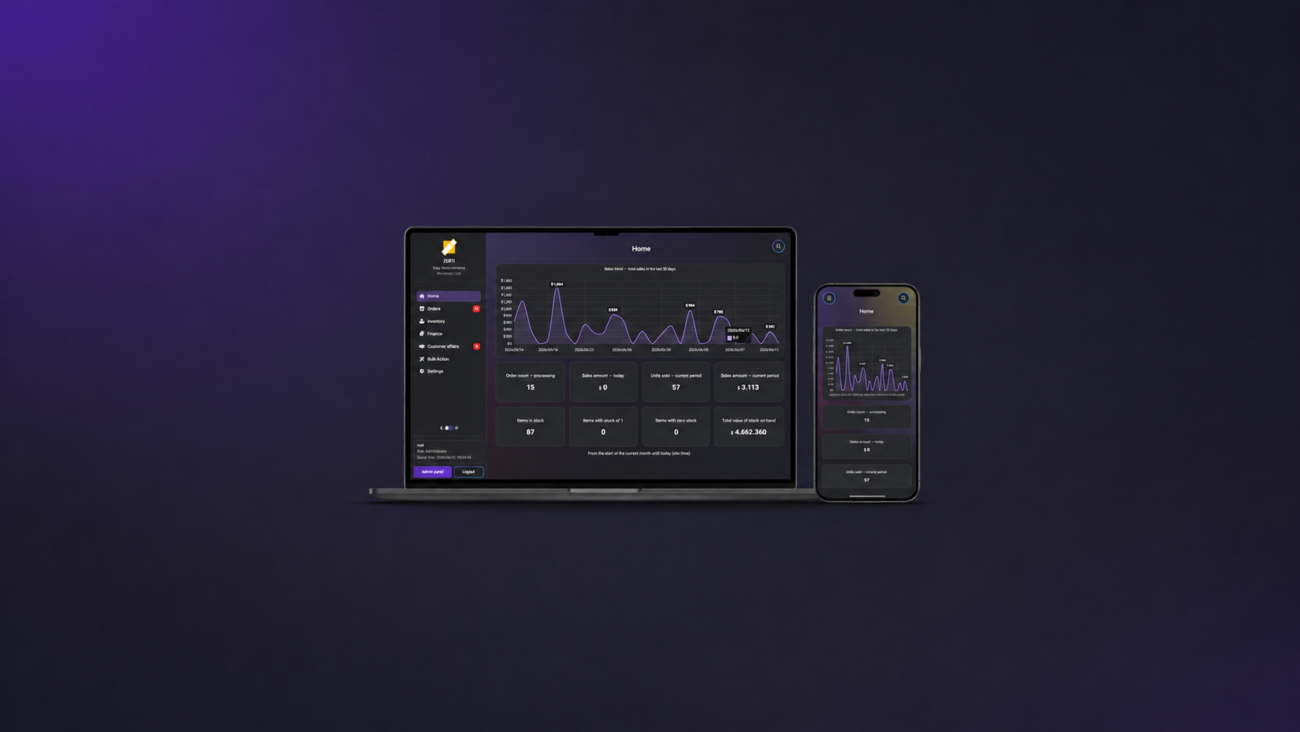
Instead of replacing WooCommerce, ZERTI enhances the administrative experience with features such as:
- A modern responsive dashboard
- Faster order management
- Product management tools
- PDF invoices and packing slips
- Business reports
- Bulk operations
- Mobile-friendly administration
- Excel export
- AI-powered product tools
The focus is simple: fewer clicks, faster workflows, and a smoother daily experience.
Final Thoughts
WooCommerce is an excellent eCommerce platform, but its default administration interface isn’t always optimized for speed.
Whether you run a small online shop or process hundreds of orders every day, improving your workflow can save hours every week.
Start by identifying the repetitive tasks that consume the most time. Then invest in tools and processes that reduce unnecessary clicks and simplify your daily operations.
Your future self—and your customers—will thank you.
